Consolidation phase
At this stage, I’m no longer just trying to invent ways to talk to the models. I want to see what holds when I drop them back into projects already in flight.
Two grounds serve as my test bed: a full web app that exposes architecture problems, and my system configuration, which decides what an agent can read, load, call, or modify.
The orchestration experiments and the guardrails stay in the background. Here, the subject is more down to earth: what survives when I have to work with these rules every day?
A full-stack application as an architecture testbed
This web app is my test ground. I want a frame where an AI can intervene without breaking everything.
I start by making the boundaries visible: contracts between modules, architecture tests, and rules CI Continuous Integration Automatic system testing code at each modification to prevent bugs from entering production. The security checkpoint at the airport: each suitcase (code) is scanned before being able to board the plane (project). can reject (not only “does it work?”, but “does it respect the architecture?”).
To help the AI, I constrain context: sometimes a single layer (all business logic), sometimes one complete feature from front-end to back-end. That keeps context small and avoids collateral damage.
I’m not trying to “make it clean”. I want a setup where AI can propose changes, where CI and tests act as filters, and where architecture quickly tells us when a proposal goes off the rails.
This project is my architecture lab. It’s where I see whether my ideas on context, rules, and quality hold up in a real codebase.
Dotfiles and global configuration: from magic to rules
Alongside the web app and orchestration work, I revisit everything that drives my AIs day to day: my system configuration ( Dotfiles Hidden configuration files (e.g., .bashrc) customizing the user's work environment. The seat and mirror settings: they don't change the engine, but adapt the cockpit to the driver. such as .bashrc or .gitconfig) and my global agent configuration at system level.
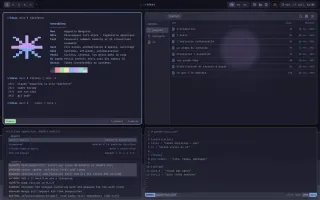
At first, it’s a stack of Hook Git Hook Script triggering automatically before or after an action (e.g., save) to perform checks. The seatbelt beep: an automatic alert that prevents starting if safety is not there. and scripts. It works while I’m the only operator, but it’s fragile to maintain. I switch to presets: ready-to-use configs that bundle tools, permissions, and context by task ( MCP Model Context Protocol Open-source standard allowing AI assistants to connect to external tools or data (files, servers) in a standardized way. A universal USB plug for AI: a standard connector to plug in any tool without a specific adapter. , sandbox, permissions, and so on). This lets me launch an agent with the right access level without manually reconfiguring each session.
These experiments also exposed MCP limits. To measure that objectively, I built a small plugin to track Token Base unit (piece of a word) used by AI to process text. Serves as a unit of measurement for billing and memory limits. If the AI were a telegraph, the token would be the billed word. The longer the message, the more it costs and the more space it takes. cost when opening a new session (or sub-agent). Result: 15-20% of the budget was gone from the start, and it was not the System Prompt "Invisible" initial instruction defining the behavior and role of the AI even before the user's first question. The briefing given to an actor backstage before they enter the stage. The audience doesn't hear it, but it dictates the play. . Most of the weight came from stacked MCPs, around 36,000 tokens out of 200,000.
I moved to on-demand loading: instead of opening every session with the whole tool menu, I start with the minimum that is useful. For a simple task, no MCP. For research, only documentation or search tools. For a front-end pass, the front-end tools, and Playwright only when I really need to see the page. The point is not to have a neat profile matrix. It is to avoid paying context for tools that will not be used.
In practice, my launchers select profiles measured at startup: Base, 0 MCP (~0 tokens); Minimal,
Context7 (~1,300 tokens); Research, Context7 + Exa (~3,000 tokens); Front-end 1, ShadCN
(~5,500 tokens); Front-end 2, Context7 + ShadCN + Playwright (~14,000 tokens); then other
profiles, back-end, testing, or exploration (Firecrawl, etc.), loaded on demand. These numbers
are not universal benchmarks. They let me compare my own launchers and see when a profile loads
too much before the agent even starts.
I keep advanced menus optional and fix a few UX details to remove friction.
I also set a shared rule for all agents at system level. This is my global base, the one that applies everywhere.
Watch out: this cleanup does not replace project context files (
AI.md). It complements them at system level. It is the base projects rely on.
The direction stays the same: avoid stacking logic that is hard to maintain, and make the limits visible enough that an agent does not invent them along the way.
I also formalize a few collaboration rules: check docs before inventing an API, don’t guess when information is missing, avoid “magic” estimates, stay focused, and mark the rest with TODO/FIXME instead of fixing everything along the way.
These are not just style preferences. They are guardrails against overconfident hallucinations, Scope Creep Uncontrolled expansion of the scope of a task along the way ("while we're at it..."). The "might as well" syndrome: leaving to buy milk and returning with a full cart and a TV, having forgotten the milk. (AI trying to fix everything at once), and noise (comments or metrics that create an illusion of control).