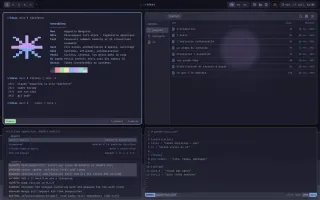
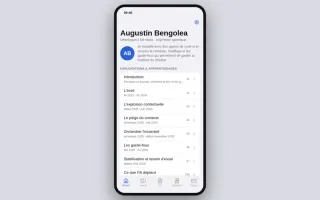
Hyprland experience click to change the experience

Glossary & concepts

AI & data concepts

Refers to both the information given to the AI (files, rules) and the technical limit of its immediate memory ("window").

The RAM of the conversation. If overloaded, the AI "forgets" the beginning, like an overflowing glass.

Open-source standard allowing AI assistants to connect to external tools or data (files, servers) in a standardized way.

A universal USB plug for AI: a standard connector to plug in any tool without a specific adapter.

"Invisible" initial instruction defining the behavior and role of the AI even before the user's first question.

The briefing given to an actor backstage before they enter the stage. The audience doesn't hear it, but it dictates the play.

Base unit (piece of a word) used by AI to process text. Serves as a unit of measurement for billing and memory limits.

If the AI were a telegraph, the token would be the billed word. The longer the message, the more it costs and the more space it takes.

Slang term referring to coding with AI by "feeling", iterating quickly without necessarily mastering all the code, as long as "it works".

Playing music by ear without knowing how to read sheet music: fast and impressive result, but difficult to correct or explain.

Architecture & code

Short document formalizing an important technical decision, its context, and its consequences for posterity.

The "logbook" of choices: we note why we changed course so that future arrivals understand the logic.

Special file acting as a transparent shortcut to another file or folder, without duplicating data.

A sign "See Office 204". We didn't build a second office, we just indicated where it is.

Custom mini-language to solve a very specific problem, simpler than a general-purpose language.

Traffic laws or musical notation: a language that doesn't allow saying everything, but is perfect for describing traffic or a melody.

Metadata block (often between "---") at the top of a text file, giving technical info (date, tags) readable by machine.

The label in a garment's collar: invisible when worn, but it tells the machine (the software) how to treat the fabric.

Cutting a project by complete feature (interface + logic + database) rather than by technical layer.

Building a fully finished and habitable room (e.g., the kitchen) before moving on to the next, rather than doing all the foundations at once.

Tools & dev methods

Automatic system testing code at each modification to prevent bugs from entering production.

The security checkpoint at the airport: each suitcase (code) is scanned before being able to board the plane (project).

Hidden configuration files (e.g., .bashrc) customizing the user's work environment.

The seat and mirror settings: they don't change the engine, but adapt the cockpit to the driver.

Script triggering automatically before or after an action (e.g., save) to perform checks.

The seatbelt beep: an automatic alert that prevents starting if safety is not there.

Static analysis tool flagging syntax or style errors in the code before its execution.

Word's spell checker, but for code: it underlines common errors in red before publication.

Feature allowing to have multiple branches of a project open simultaneously in separate folders.

Opening multiple copies of the same book at different pages on your desk, without losing your page each time.

Formal request to merge code changes, triggering a review phase by the team.

Submitting a draft to the editor-in-chief: "Here is my proposal, do we validate it for printing?"

Principles & jargon

"Keep It Simple, Stupid" and "You Ain't Gonna Need It". Principles advocating simplicity and refusal of over-engineering.

Occam's razor for devs: don't build a Rube Goldberg machine for a hypothetical need. If it's not useful today, we don't code it.

Uncontrolled expansion of the scope of a task along the way ("while we're at it...").

The "might as well" syndrome: leaving to buy milk and returning with a full cart and a TV, having forgotten the milk.

User interface running in text mode in a terminal, but with visual elements (menus, lists).

A modern software driven by keyboard, but looking like retro screens from the 80s/90s (efficient and fast).

Web application that behaves like a native application (installable, offline) on mobile or desktop.

A website that took vitamins to become a "real" application installable on your phone.